HTML Lists, Control Flow with JS, and the CSS Box Model
HTML Lists
- There are three types of HTML lists: ordered, unordered, and definition.
- Ordered lists use numbers.
- Unordered lists use bullets.
- Definition lists are used to define terminology.
- Lists can be nested inside one another.
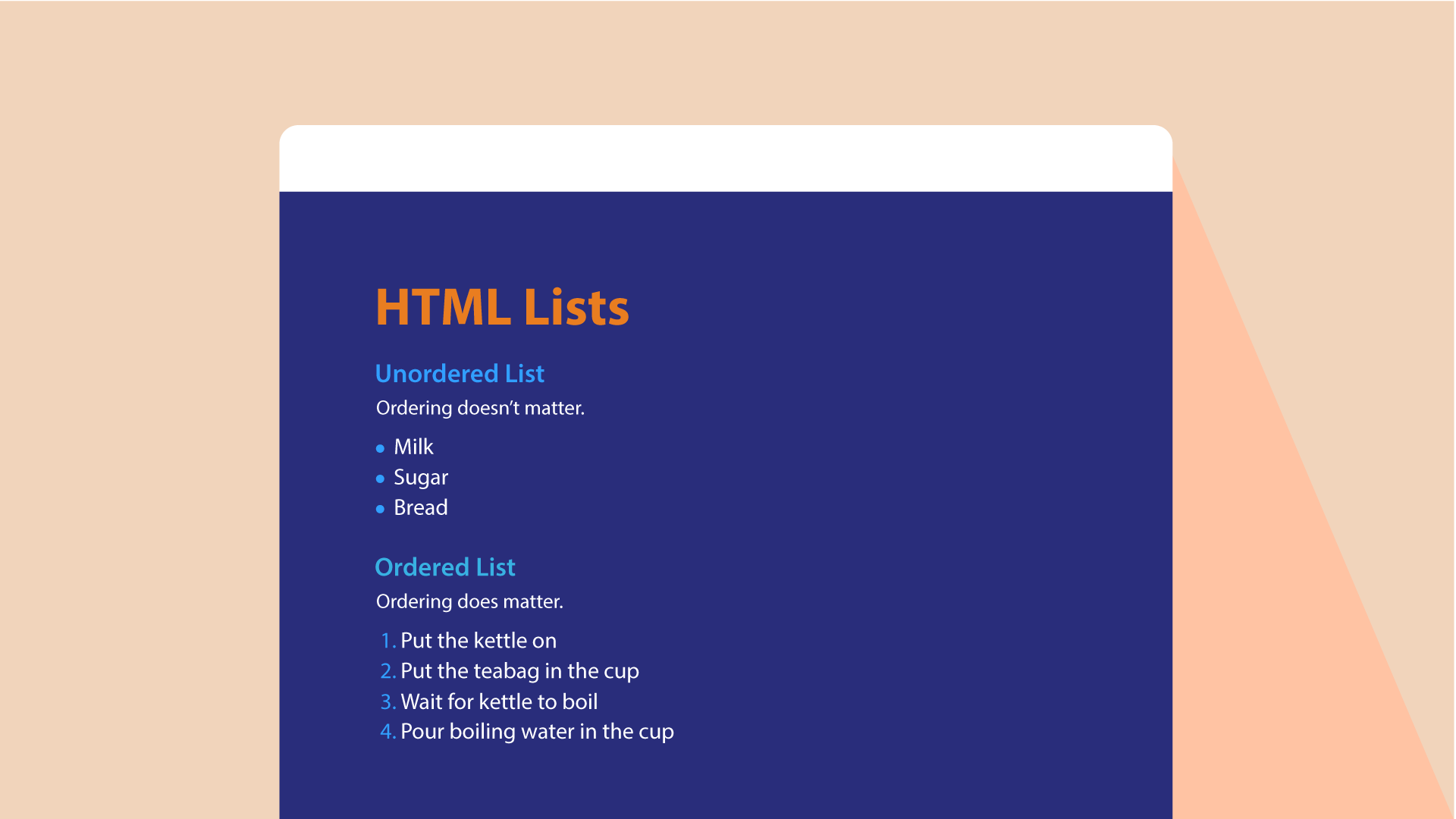
- Unordered lists
-
#####
- Coffee #####
- Tea ' #####
- Milk
- Ordered lists
-
#####
- Coffee #####
- Tea #####
- Milk
CSS Box Model
You can set several properties that affect the appearance of these boxes. In this chapter you will see how to:
- Control the dimensions of your boxes
- Create borders around boxes
- Set margins and padding for boxes
- Show and hide boxes Once you have learned how to control the appearance of each box, you will see how to position these boxes on your pages in
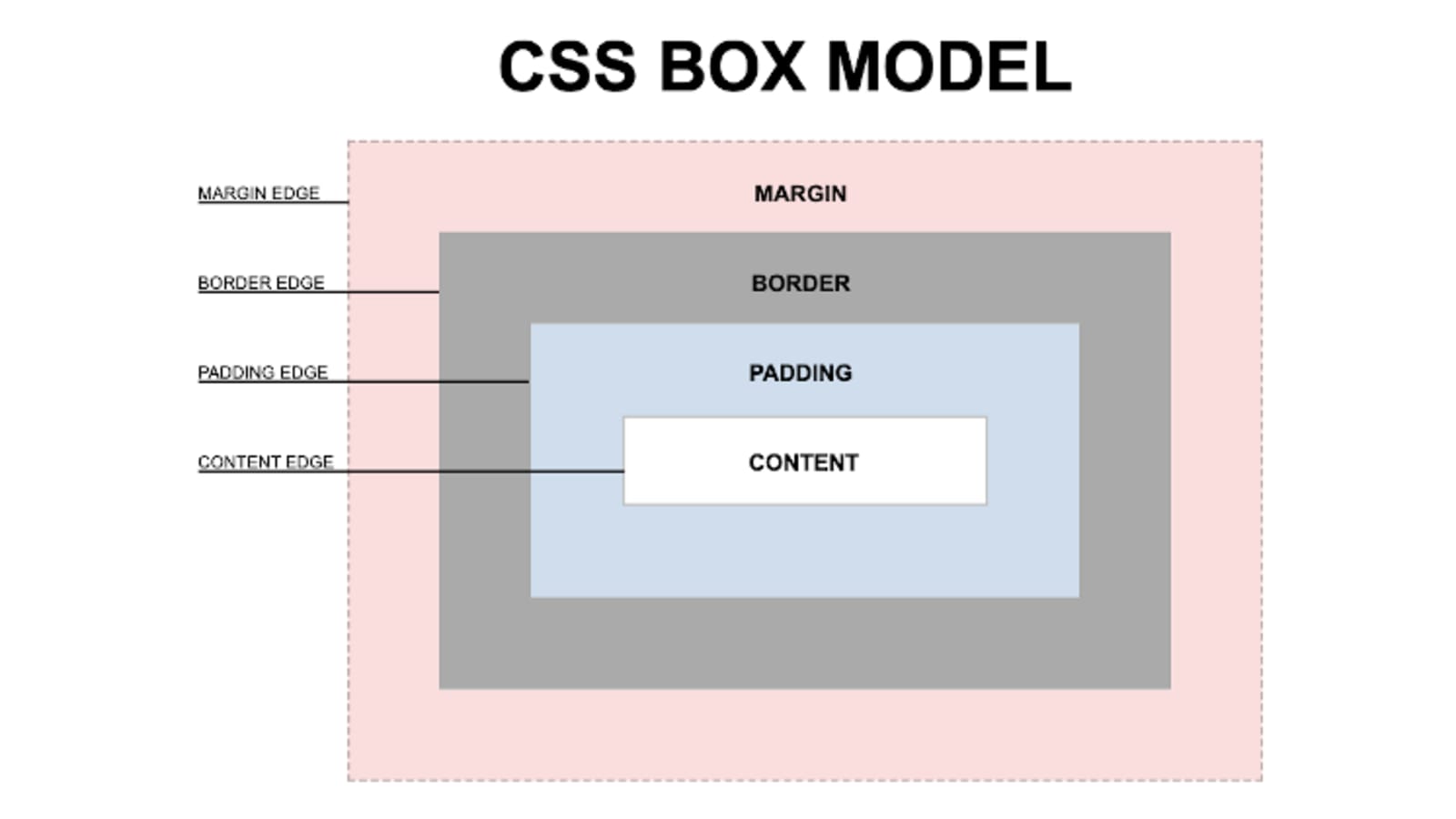
- CSS treats each HTML element as if it has its own box.
- You can use CSS to control the dimensions of a box.
- You can also control the borders, margin and padding for each box with CSS.
- It is possible to hide elements using the display and visibility properties.
- Block-level boxes can be made into inline boxes, and inline boxes made into block-level boxes.
- Legibility can be improved by controlling the width of boxes containing text and the leading.
- CSS3 has introduced the ability to create image borders and rounded borders
Control Flow with JS

Conditional Statements
Very often when you write code, you want to perform different actions for different decisions.
You can use conditional statements in your code to do this.
In JavaScript we have the following conditional statements:
- Use if to specify a block of code to be executed, if a specified condition is true
- Use else to specify a block of code to be executed, if the same condition is false
- Use else if to specify a new condition to test, if the first condition is false
- Use switch to specify many alternative blocks of code to be executed