Authentication
-
1. What is OAuth?
OAuth is an open-standard authorization protocol or framework that describes how unrelated servers and services can safely allow authenticated access to their assets without actually sharing the initial, related, single logon credential. In authentication parlance, this is known as secure, third-party, user-agent, delegated authorization. (OAuth only works using HTTPS)
-
2. Give an example of what using OAuth would look like.
The simplest example of OAuth in action is one website saying “hey, do you want to log into our website with other website’s login?” In this scenario, the only thing the first website – let’s refer to that website as the consumer – wants to know is that the user is the same user on both websites and has logged in successfully to the service provider – which is the site the user initially logged into, not the consumer.
-
3. How does OAuth work? What are the steps that it takes to authenticate the user?
- Step 1 – The User Shows Intent
Joe (User): “Hey, Bitly, I would like you to be able to post links directly to my Twitter stream.” Bitly (Consumer): “Great! Let me go ask for permission.”
- Step 2 – The Consumer Gets Permission
Bitly: “I have a user that would like me to post to his stream. Can I have a request token?” Twitter (Service Provider): “Sure. Here’s a token and a secret.” The secret is used to prevent request forgery. The consumer uses the secret to sign each request so that the service provider can verify it is actually coming from the consumer application.
- Step 3 – The User Is Redirected to the Service Provider
Bitly: “OK, Joe. I’m sending you over to Twitter so you can approve. Take this token with you.” Joe: “OK!”
This is the scary part. If Bitly were super-shady Evil Co. it could pop up a window that looked like Twitter but was really phishing for your username and password. Always be sure to verify that the URL you’re directed to is actually the service provider (Twitter, in this case).
- Step 4 – The User Gives Permission
Joe: “Twitter, I’d like to authorize this request token that Bitly gave me.” Twitter: “OK, just to be sure, you want to authorize Bitly to do X, Y, and Z with your Twitter account?” Joe: “Yes!” Twitter: “OK, you can go back to Bitly and tell them they have permission to use their request token.” Twitter marks the request token as “good-to-go,” so when the consumer requests access, it will be accepted (so long as it’s signed using their shared secret).
- Step 5 – The Consumer Obtains an Access Token
Bitly: “Twitter, can I exchange this request token for an access token?” Twitter: “Sure. Here’s your access token and secret.”
- Step 6 – The Consumer Accesses the Protected Resource
Bitly: “I’d like to post this link to Joe’s stream. Here’s my access token!” Twitter: “Done!”
-
4. What is OpenID?
OpenID is an open standard and decentralized authentication protocol promoted by the non-profit OpenID Foundation. It allows users to be authenticated by cooperating sites (known as relying parties, or RP) using a third-party identity provider (IDP) service, eliminating the need for webmasters to provide their own ad hoc login systems, and allowing users to log into multiple unrelated websites without having to have a separate identity and password for each
-
1.What is the difference between authorization and authentication?
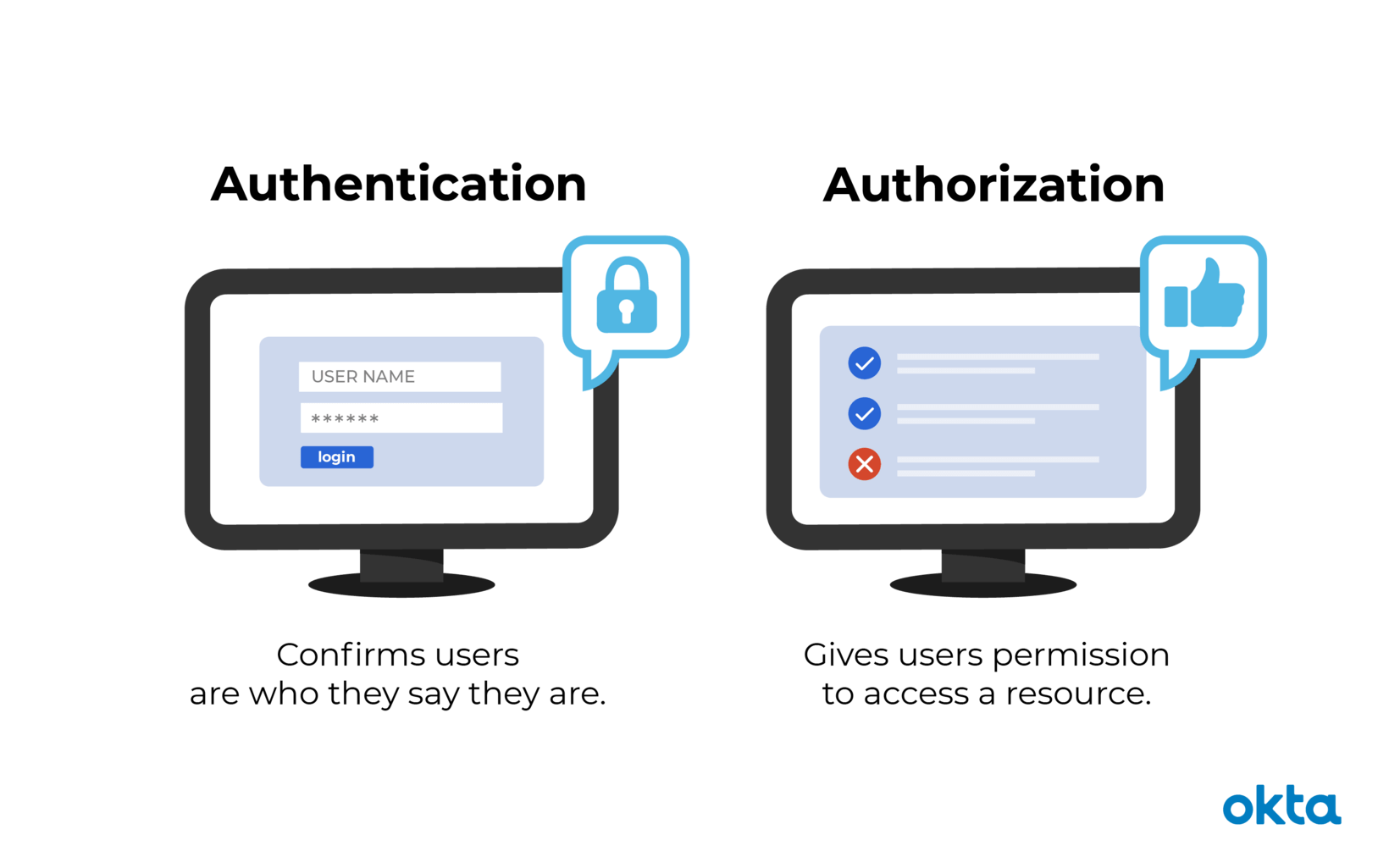
Authentication confirms that users are who they say they are. Authorization gives those users permission to access a resource.
While authentication and authorization might sound similar, they are distinct security processes in the world of identity and access management (IAM).
-
2.What is Authorization Code Flow?
-
The user clicks Login within the regular web application.
-
Auth0’s SDK( Software Development Kit:a set of tools for third-party developers to use in producing applications using a particular framework or platform.) redirects the user to the Auth0 Authorization Server (/authorize endpoint).
-
Your Auth0 Authorization Server redirects the user to the login and authorization prompt.
-
The user authenticates using one of the configured login options and may see a consent page listing the permissions Auth0 will give to the regular web application.
-
Your Auth0 Authorization Server redirects the user back to the application with an authorization code, which is good for one use.
-
Auth0’s SDK sends this code to the Auth0 Authorization Server (/oauth/token endpoint) along with the application’s Client ID and Client Secret.
-
Your Auth0 Authorization Server verifies the code, Client ID, and Client Secret.
-
Your Auth0 Authorization Server responds with an ID Token and Access Token (and optionally, a Refresh Token).
-
Your application can use the Access Token to call an API to access information about the user.
10.The API responds with requested data.
-
3.What is Authorization Code Flow with Proof Key for Code Exchange (PKCE)?
The Authorization Code Flow + PKCE is an OpenId Connect flow specifically designed to authenticate native or mobile application users. This flow is considered best practice when using Single Page Apps (SPA) or Mobile Apps. PKCE, pronounced “pixy” is an acronym for Proof Key for Code Exchange.
-
4.What is Implicit Flow with Form Post?
Implicit Flow with Form Post flow uses OIDC to implement web sign-in that is very similar to the way SAML and WS-Federation operates. The web app requests and obtains tokens through the front channel, without the need for secrets or extra backend calls.
5.What is Client Credentials Flow?
The Client Credentials flow is a server to server flow. There is no user authentication involved in the process. … This flow is useful for systems that need to perform API operations when no user is present. It can be nightly operations, or other that involve contacting OAuth protected APIs.
-
6.What is Device Authorization Flow?
The authorization flow defined by this specification, sometimes referred to as the “device flow”, instructs the user to review the authorization request on a secondary device, such as a smartphone, which does have the requisite input and browser capabilities to complete the user interaction.
-
7.What is Resource Owner Password Flow?
The Resource Owner Password Credentials flow allows exchanging the username and password of a user for an access token and, optionally, a refresh token. This flow has significantly different security properties than the other OAuth flows. The primary difference is that the user’s password is accessible to the application. This requires strong trust of the application by the user